Showing posts with label Venkman. Show all posts

Sunday, October 3, 2010

Mind Mapping in the Modern Age

Originally pioneered by Tony Buzan, a Mind Map is a type of diagram that is a radial organization of an outline. Mind Mapping is taught in prestigious schools such as MIT.

I like mind mapping. I have always believed that diagrams are the instrument of thought and the mind map is a great diagram for composers of all types or simply for those wishing to organize their ideas.

Here is my short list of open source mind mapping tools that are thriving in 2010.
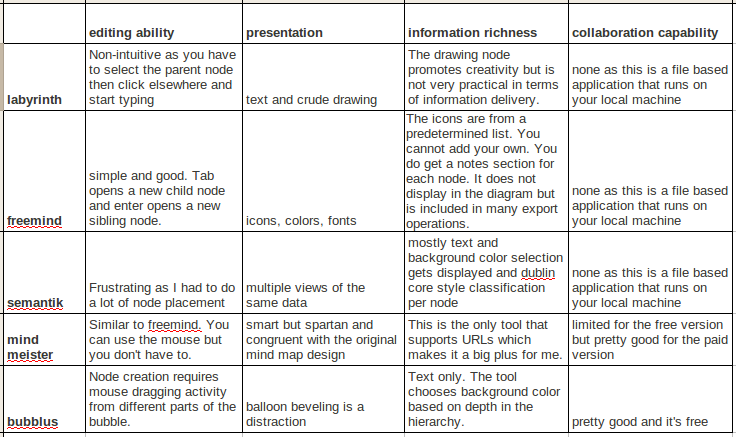
Summary of Mind Mapping Tools Compared

Labyrinth is a Gnome tool so it is for Linux users only. Labyrinth can be easily installed from the Ubuntu software center. It's not the best tool by far but I end up using it because mind maps created in Labyrinth can be indexed by the search tool Beagle. Here is a screen shot of a labyrinth mind map of this very blog.
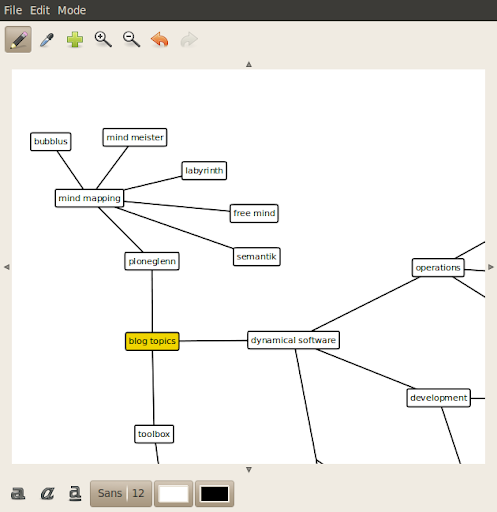
Labyrinth Screen shot

Freemind is a great stand-alone tool for mind mapping. The GUI doesn't get in the way of your creativity. Freemind is written in Java so it can be run from Windows, Mac OS X, or Linux. Files saved in one OS can be opened in another.

Semantik is written on top of KDE so it is another Linux only tool. It's focus is to aid students in generating documents based on mind maps. Semantik can also be easily installed from the Ubuntu software center.

You don't install Mind Meister on your local machine because it is a web application that you access through your browser. Mind Meister stays true to the original concepts of mind mapping yet extends those ideas in useful and relevant ways. Mind Meister is a commercial company based on the freemium model so you don't get to fully access all the features without paying a monthly subscription.
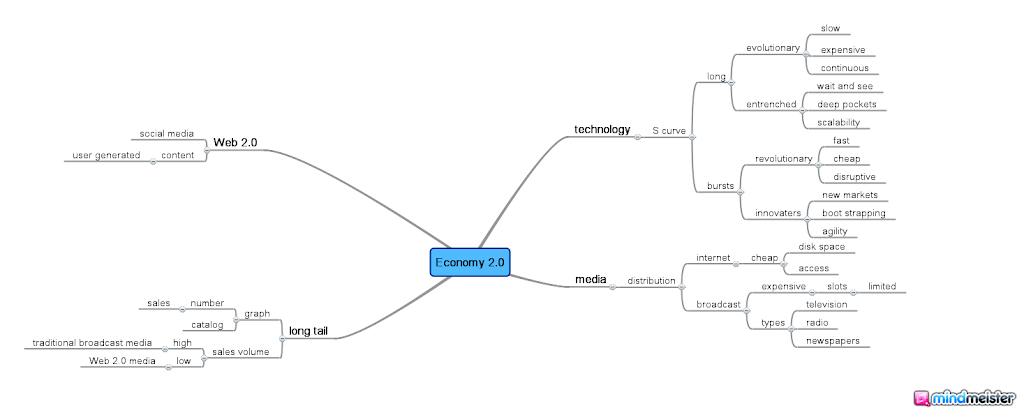
Mind Meister diagram exported as a PNG file

At first glance, Bubblus diagrams don't look all that much traditional mind maps. Like Mind Meister, Bubblus is also a web application that you do not install on your local machine. Unlike Mind Meister, Bubblus is free forever so you get full access to all of its features without a monthly subscription fee.
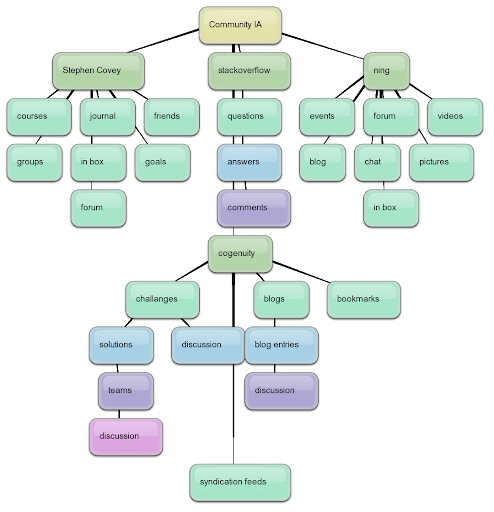
Sample exported Bubbleus diagram

Mind mapping is a great way to explore the hierarchy of ideas through creative diagramming. These five free tools present the state of computer based mind mapping in 2010.

Thursday, November 29, 2007

Son of Open Source

It has been a month since I wrote on my favorite open source projects. Some of you have been very kind to point out some cool projects that I missed. I feel like now would be a good time of introduce these worthy projects.

In the original article, I talked about Java and some very nice libraries that extend its functionality and power. One project that I missed was google collections which extends the Java Collection Framework. Though still in alpha, this project is one to watch for.

I talked about the popularity of using IoC/DI which is a lightweight way of building applications from components without introducing of lot of static dependencies thus allowing complex systems to be resilient to change over time. I listed Spring as a technology that empowers this lightweight approach. Another is Google Guice that also allows you to easily build complex object hierarchies from a configuration. The difference between Guice and Spring is the format of the configuration file. For Spring, that is a single external XML file. For Guice, it takes the form of special meta-data comments embedded within the code itself which could be spread across potentially thousands of different files. There are pros and cons to both so which approach appeals to you is a matter of personal choice.

I talked about JUnit which is a unit testing framework. One advantage of IoC/DI is that you can easily plug in a data access tier for the real application that uses a relational database and a mock object tier that return canned responses for the purposes of unit testing. EasyMock is a way to dynamically generate these mock objects.

I can't believe that I completely forgot to mention workflow in the original article (it was in the mind map). This term has been overused so allow me to say that there are two types of workflow, internal workflow and external workflow. External workflow is compelling because it allows for a standardized way to automate the interaction and integration of different systems to provide a complete solution. Internal workflow is an easy way of making your application more flexible and configurable by allowing you to bolt on a workflow engine that empowers easier customization of business processes. There are two parts to workflow, the engine and the editor. The editor is used by workflow architects (if internal) to customize business processes. It is also used by integration specialists (if external) to specify web services that are aggregates of other web services, keeping satellite systems in sync. For internal workflow, the engine is embedded within the application. For external workflow, the engine is a web service that is considered separate from, but dependent on, the other systems. There are a few really good proprietary workflow engines and editors out there but my favorite OSS workflow is YAWL.

I talked about web browser scripting and listed my favorite libraries to help accelerate development. I mentioned how hard java script is to debug but completely forgot to mention my favorite java script debuggers. For Firefox, I use the Venkman debugger. Though not OSS, I should mention that VS.NET has an adequate debugger for java script on Internet Explorer.